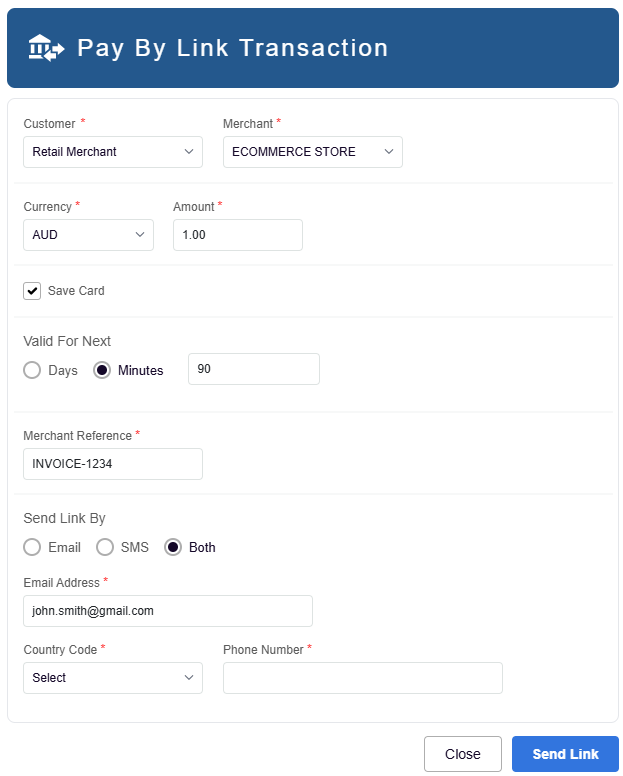
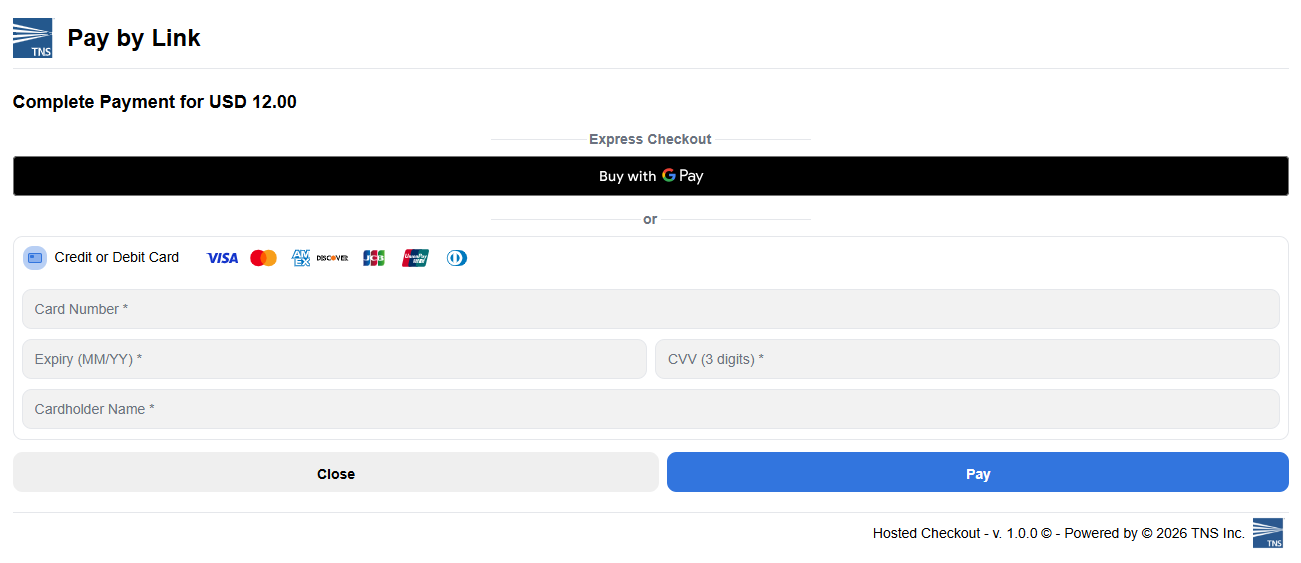
Create and send secure, customizable payment links that allow merchants to collect payments from customers via email or SMS. These links direct customers to a hosted payment page where they can complete transactions using their preferred payment methods, with options to tailor messaging, redirect URLs, and link validity for a seamless payment experience.
Overview
Pay By Link enables merchants to collect payments from customers by sending a secure payment link via email or SMS. The customer clicks the link, which opens a hosted payment page where they can complete the transaction using their preferred payment method. The transaction amount, message displayed to the user and optional redirects can be customized to tailor the customer experience.
This eliminates the need for merchants to build and maintain their own checkout pages or process sensitive card data, reducing PCI scope and operational complexity.
Key Features
No Website Required | Accept payments without having to writing code to integrate your website to perform payments |
Reduced PCI Scope | Card data is handled entirely by the hosted payment page |
Multi-Channel Delivery | Send links via email, SMS, or retrieve the URL directly. This can be also be turned into a QR Code |
Customisable Branding | Control over logos, branding, and basic text/colors |
Flexible Expiry | Links can be configured to expire after minutes or days |
Digital Wallet Support | Google Pay, Apple Pay, and PayPal available on the payment page |
3DS2 for secure fraud protection | Optional built into the form to provide strong customer authentication to combat fraud |
Optional Card Storage | Optional tokenization for future transactions |
Use Cases
Call Centre / Phone Orders
Send a payment link during or after a phone call instead of taking card details verbally (MOTO). Reduces fraud risk and PCI compliance burden.
Email Invoicing
Embed a payment link directly in digital invoices for immediate payment collection.
Social Media / Messaging
Share links via WhatsApp, Facebook Messenger, or any messaging platform to enable conversational commerce.
In-Store Hybrid
Accept a deposit in-store, then follow up with a Pay By Link for the remaining balance.
Recurring Payment Setup
Use the initial Pay By Link transaction to tokenize a card, then process future recurring payments using the stored token.
Ad-hoc Charges
Quickly generate a link which can be shared to your customers for any purpose your business requires
Supported Features
Delivery Methods
Email
Link sent via email to the customer's email address
SMS
Link sent via SMS to the customer's phone number
QR
Turn the link into a QR code to accept payments from a users mobile device
Digital Wallets
ApplePay & GooglePay
Ability to enable ApplePay & GooglePay eCommere methonds to the customer
PayPal
PayPal can be enabled on the page, allowing seamless integration and acceptance
Additional APM's
TNS has access to hundreds of APM's globally. If there is a specific APM which within your region that you would like to accept, please contact the TNS Sales team.
Link Expiry
PayByLink sessions can have a specific expiry duration, depending on your business needs.
Unit | Description |
Minute
| Link expires after specified number of minutes (e.g., 20 minutes) |
Day
| Link expires after specified number of days |
Display & Branding Configuration
The payment page appearance is fully customisable:
Element | Description |
Header Text | Custom text displayed at the top of the page |
Logo URL | Merchant logo displayed on the payment page |
Page Title | Browser tab/page title |
Footer Text | Custom text in the footer area |
Pay Button Label | Custom label for the payment button |
Cancel Button Label | Custom label for the cancel/back button |
Result Messages
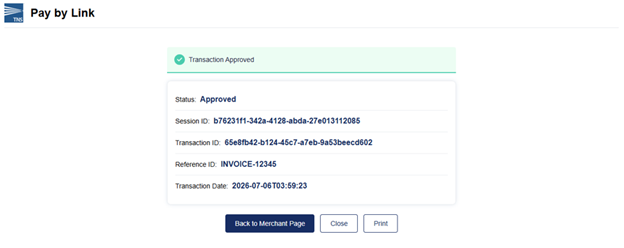
Custom messages displayed to the customer after payment completion. These will only be displayed if you do not support Redirect URL's to your own website.
Scenario | Configurable Message (examples) |
Approved | "Transaction is Approved. Contact Merchant for more details" |
Declined | "Transaction is Declined. Contact Merchant for more details" |
Error | "Transaction Error. Contact Merchant for more details" |
Link Expired | "Link Expired. Contact Customer Care" |
Redirect URLs
After payment completion, customers can optionally be redirected to merchant-controlled URLs:
approvedUrl
| Customer redirected here on successful payment |
declinedUrl
| Customer redirected here if payment is declined |
errorUrl
| Customer redirected here on payment error |
cancelUrl
| Customer redirected here if they cancel the payment |
When a redirect occurs to your website after a user had attempted to pay, additional parameters will be included in the redirect url. The parameters included in the URL redirect include:
status | The status of the transaction. e.g. approved, declined |
event | The callback event that occured after processing the transaction |
sessionId | The session id for the PayByLink Session |
transactionId | The transactionId returned for the transaction |
dateTime | The date/time in which the transaction was performed |
referenceId | merchantReference passed while creating pay by link session |
Note: URLs can be configured by TNS as part of your setup which will take precedance over those supplied in your PayByLink Session
Metadata
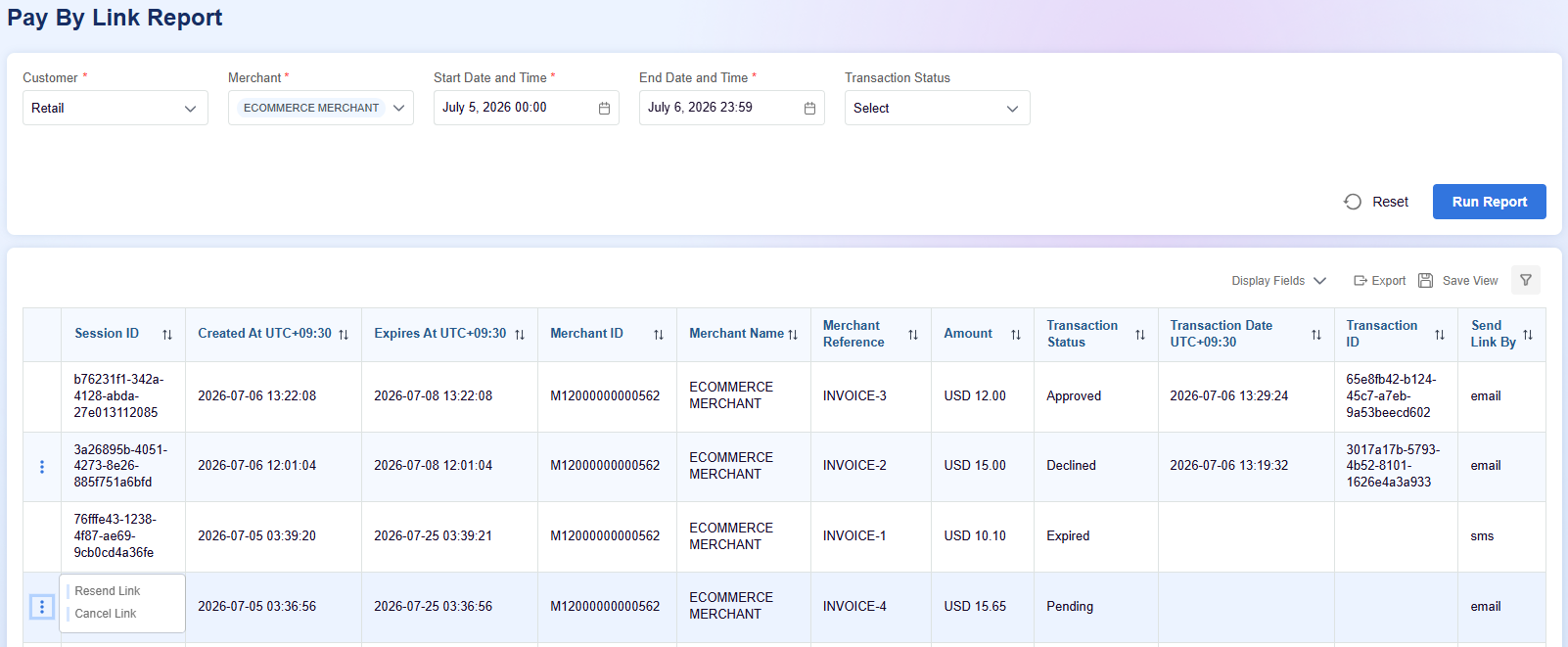
Merchants can optionally attach custom key-value metadata to each payment link for reconciliation and tracking purposes. This information can then be enabled in the Merchant Portal for reporting purposes.
One or more custom key-value pairs can be associated with a transaction.
"metadata": [
    {
        "name": "Order",
        "value": "product"
    }
]
API Specification
https://checkout.uat.pay.tnsi.com/v1/session/paybylink/create | UAT Pre-production |
https://checkout.ap.paymentgateway.tnsi.com/v1/session/paybylink/create | LIVE - Production Asia Pacific |
https://checkout.eu.paymentgateway.tnsi.com/v1/session/paybylink/create | LIVE - Production Europe |
https://checkout.us.paymentgateway.tnsi.com/v1/session/paybylink/create | LIVE - Production North America |